9 Home Gadgets That Actually Improve Your Gaming Setup
You’ve got a console or a PC, a screen, and

You’ve got a console or a PC, a screen, and whatever headset came in the box. Everything functions. But three hours into a session your neck aches, your friends keep saying you sound like you’re in a bathtub, and the glare off the TV has given you that specific dull headache that only comes from staring at a bright rectangle in a dark room. None of that is a hardware problem. It’s an everything-around-the-hardware problem.
This list covers nine gadgets that fix exactly those gaps — lighting, audio, comfort, controls and capture. They’re platform-agnostic, so they work whether you’re on PS5, Xbox, a gaming PC or a Steam Deck. Most sit under $100. One is a genuine splurge. All of them earn their desk space.
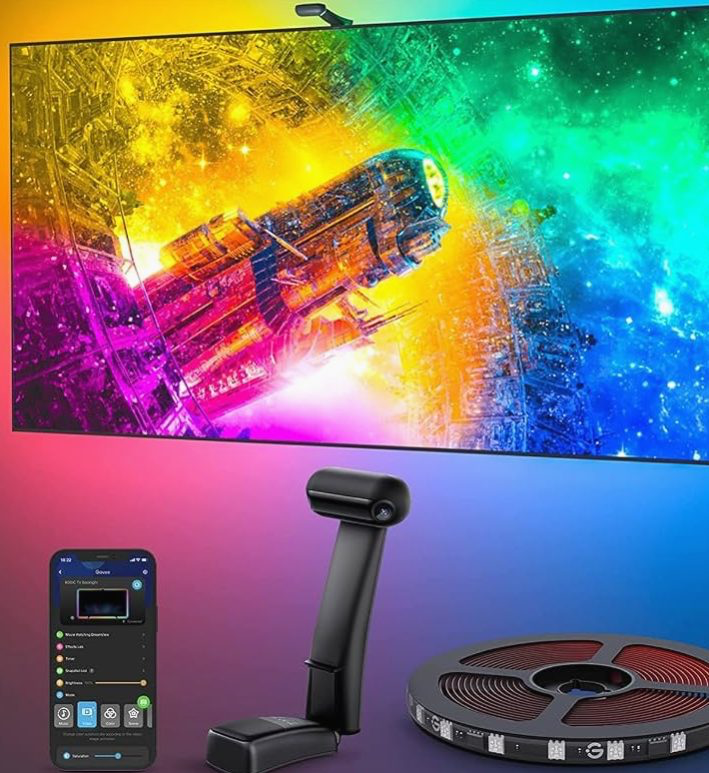
A strip of light behind your display sounds like decoration. It isn’t. Bias lighting raises the brightness of the wall behind the screen so your pupils stop dilating and contracting every time a dark cutscene cuts to a bright menu. That’s the eye strain gone. The T2 uses a small dual-camera bar clipped to the top of the panel to read what’s actually on screen and match the LEDs to it in real time.
Because it’s reading the display optically rather than through HDMI, it works with literally anything — console, PC, a Blu-ray player, your housemate’s Netflix. Sizing matters: buy the kit rated for your screen, not the one on sale. Setup is about fifteen minutes, most of which is cleaning the back of the TV so the adhesive sticks.
$60 – $110

Headset microphones are a compromise and everyone on your Discord call knows it. A dedicated condenser like the AM8 picks up your voice properly instead of a thin, compressed approximation of it. It’s a dynamic mic with a cardioid pattern, which in practice means it hears your mouth and largely ignores your mechanical keyboard, your PC fans and the neighbour’s dog.
What sells it at this price is the physical controls: a gain dial, a tap-to-mute top plate and a headphone jack for zero-latency monitoring, all on the mic itself. It runs over USB-C into a PC, or XLR if you ever upgrade to an interface. The included desk stand is fine; a $25 boom arm makes it dramatically better by getting the mic off your desk surface and away from thumps.
$55 – $75
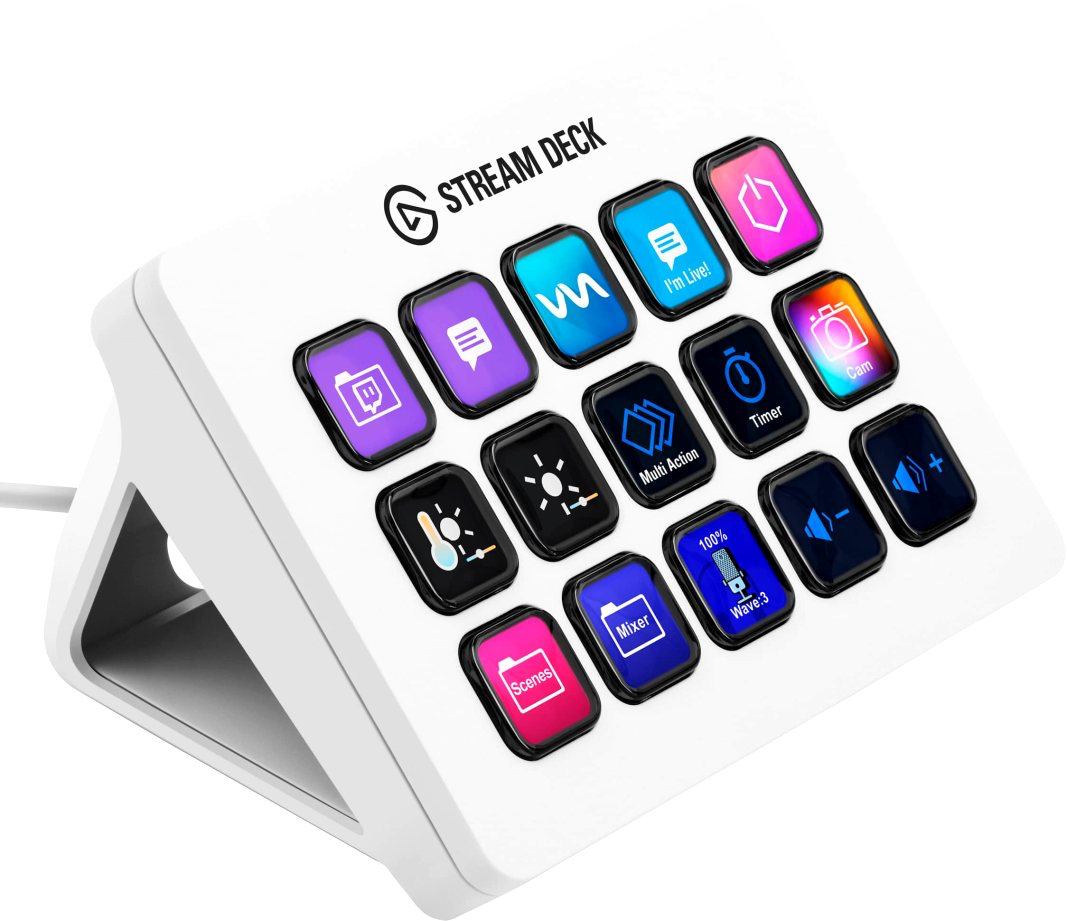
Marketed at streamers, quietly brilliant for everyone else. Fifteen LCD keys, each one programmable to do whatever you want: mute the mic, switch audio between headset and speakers, launch a game, flip to a specific Discord channel, trigger a scene in OBS, pause Spotify. Each key shows a custom icon, so you never have to remember what you assigned.
The reason it’s on a list for casual upgraders rather than professionals is that it removes friction you’ve stopped noticing. Every time you alt-tab mid-match to adjust something, that’s a death. One press instead. Software is Windows and macOS only, which is the catch — your console still benefits indirectly if the PC is handling your capture and chat. If fifteen keys feels excessive, the six-key Stream Deck Mini costs about half.
$130 – $150
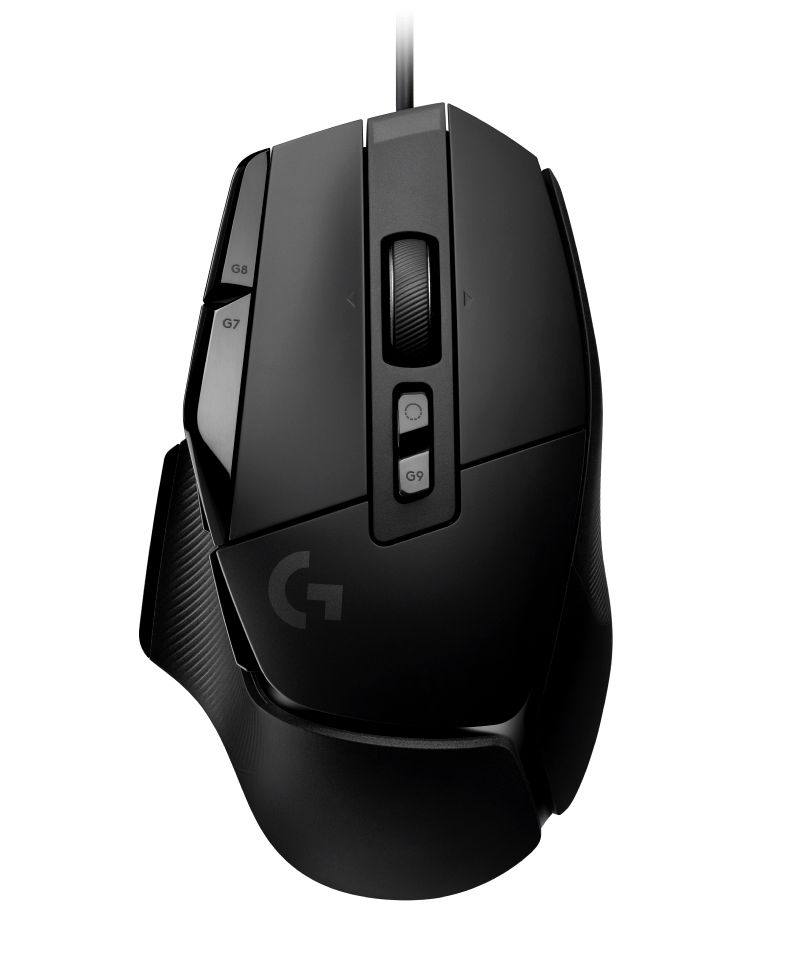
Thirteen programmable controls, a 25,600 DPI sensor, and a scroll wheel that unlocks into free-spin with a button press. The G502 has been iterating for over a decade and the X revision finally swapped the mushy mechanical switches for hybrid optical-mechanical ones, which click cleanly and should outlast the cable.
It’s a big, heavy, right-handed mouse with a pronounced thumb rest — if you have small hands or claw-grip, look at a Razer Viper or Logitech’s own G305 instead. But for a palm-grip player moving up from a generic office mouse, the difference in precision is immediate and slightly embarrassing. The wired version is the value pick at well under half the price of the Lightspeed wireless model, and for a desk setup the cable genuinely doesn’t matter.
$50 – $80

Tenkeyless, hot-swappable, and it connects over Bluetooth to three devices or USB-C to a fourth. The hot-swap part is the quiet headline: you can pull out the switches with the included tool and change the entire feel of the board in ten minutes without a soldering iron. Start with Gateron Browns if you’re unsure, swap to linear Reds if you decide you want faster actuation.
Dropping the number pad moves your mouse hand closer to centre, which is better for your shoulder over a long session and frees up real desk space. The K8 Pro also ships with Mac and Windows keycaps and supports QMK/VIA remapping, so it doubles as a work keyboard without screaming about it. Add a cheap wrist rest — the board has a slight incline and your tendons will notice.
$95 – $135

The reason this beats most wireless headsets at the price is a single design choice: it runs 2.4GHz low-latency wireless and Bluetooth simultaneously. So you’re in a game on the USB-C dongle while taking a phone call or listening to a podcast through your phone, no re-pairing. The dongle is USB-C, which means it goes straight into a PS5, a Switch dock, a Steam Deck or a laptop without an adapter.
Battery runs around 38 hours, and fifteen minutes on the charger buys you several more. Comfort is where SteelSeries has always been strong — the elastic ski-goggle band spreads weight instead of pressing a hot spot into the top of your skull, which is the thing that ends four-hour sessions. The mic is retractable and fine for parties, though the FIFINE above will still beat it.
$140 – $180

Console share buttons compress your footage into mush and cap your clip length. A capture card sits between the console and the TV, passes 4K60 HDR straight through to the screen with no added lag, and sends a clean 1080p60 or 1440p copy to your PC to record or stream. You play exactly as you normally would and the footage just exists afterwards.
The HD60 X is the sane entry point — USB 3.0, works with OBS and Elgato’s own software, and handles VRR passthrough so it doesn’t break your PS5 or Series X output. You do need a second machine to receive the feed, which is the real cost. If you only ever want highlight clips for friends, the console’s built-in capture is enough. If you’ve started thinking about YouTube, this is the step.
$160 – $200

Nobody puts a footrest on a gaming wishlist, which is exactly why it belongs here. If your feet dangle, or you tuck them under the chair, your pelvis rotates and your lumbar spine takes the load for the next four hours. A footrest set at the right height lets your knees sit at roughly ninety degrees and your back stay where the chair intended it.
The Ergofoam is dense memory foam rather than hollow plastic, with a washable cover and two height positions depending on which way you flip it. It also works as a passive fidget — rocking it keeps blood moving in your calves, which is more useful than it sounds during a long session. Of everything on this list, it has the best ratio of money spent to physical misery avoided.
$35 – $55

Six hundred dollars for a chair feels absurd right up until you’ve sat in a bad one for a year. What the TITAN Evo gets right is the integrated lumbar system — a four-way adjustable support built into the backrest rather than a cushion you strap on and then watch slide down. The cold-cure foam doesn’t flatten out after six months the way cheap moulded foam does, and the magnetic head pillow stays put.
Three sizes, and getting that right matters more than the colourway: check the height and weight chart honestly before ordering. Assembly takes about twenty-five minutes solo. If this is beyond budget, the honest answer isn’t a cheaper gaming chair — it’s a used Herman Miller or Steelcase from an office clearance, often for less money and with better bones.
$499 – $650
How To Spend This Money In The Right Order
If you’re starting from a stock setup, don’t buy the exciting thing first. The upgrades that change your experience most are the ones touching your body for hours at a time: the chair, the footrest, the headset. Peripherals come next, and capture gear comes last, because it only earns its keep if you actually use it.
Also resist the urge to buy a matched ecosystem. Nothing on this list needs to share a brand with anything else, and the best-in-category product is almost never the one that colour-matches your existing kit. Buy one thing, live with it for a fortnight, then decide what the next bottleneck actually is.
If you only buy one thing, make it the bias lighting — it’s cheap, takes fifteen minutes, works with every device you own, and the reduction in eye strain is noticeable the first evening. If you only buy two, add the footrest. Between them that’s about $120 and it addresses the two most common complaints from people who game for long stretches.
After that, follow your own friction. If people struggle to hear you, get the FIFINE. If your hand cramps, get the G502 X. If you’re untethering from the TV, the Arctis Nova 7. And if you’ve been meaning to replace that dining chair for two years, the Secretlab is the one purchase on this list you’ll still be grateful for in 2030.